
 English
  French

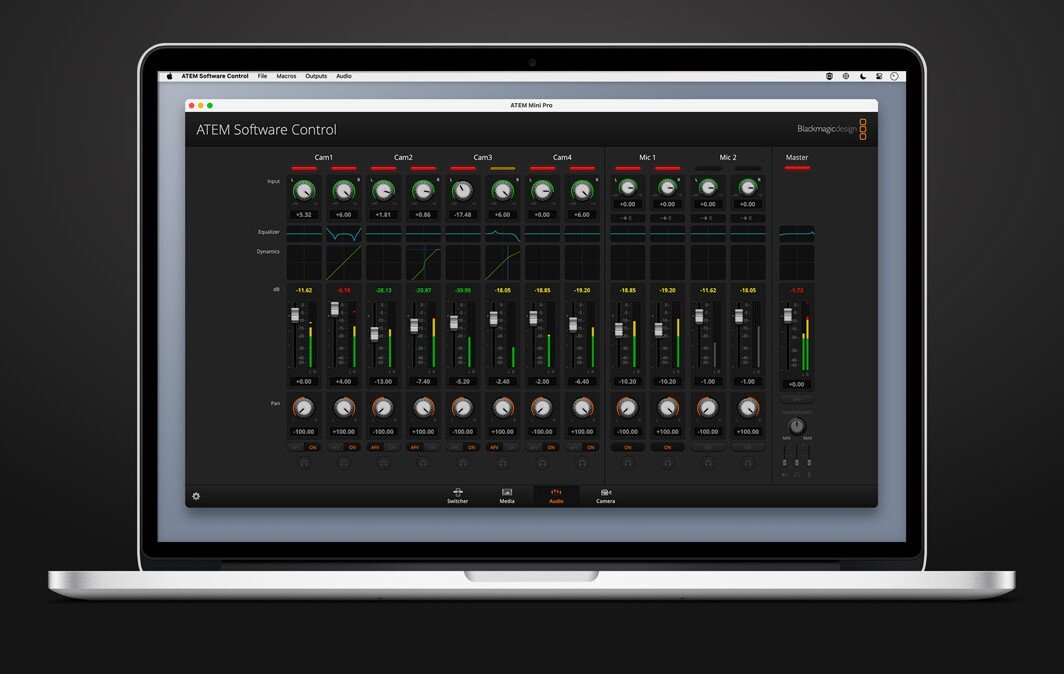
If we had to define a video switcher in just a few words, we could describe it as a device that allows multiple sources—cameras, computers, media players—to be connected and switched between at the press of a button, while adding graphics, titles, dissolves, picture-in-picture and sending everything to the stream as a single signal. In practice, it is the “heart” of a control room: the device through which the operator decides what goes on air.
For professionals, a switcher such as a Blackmagic Design ATEM Mini is a video processor featuring very low latency, internal signal management, hardware keyers, multiview, program/preview routing, macro functions and—on the more advanced models—integrated encoding and recording. It is therefore an entry-level solution only in terms of size and price, not in operational capabilities, as we will see.
In common language, the terms “video switcher” and “video mixer” are often used interchangeably, but technically they are not the same thing. A video switcher is designed to switch and manage multiple sources in real time, applying transitions, keying, picture-in-picture and signal routing. A video mixer, on the other hand, is oriented toward combining and blending images (complex effects, creative layering, advanced compositing), typically in broadcast environments or more elaborate live post-production workflows. The ATEM Mini devices fall into the switcher category: compact, fast tools optimized for live production, streaming and hybrid events.
However, they also include an audio mixer. On the hardware control panel this is simplified—each input features its own dedicated audio management, with independently adjustable levels, muting and AFV—while through the software it becomes significantly more sophisticated, integrating a 6-band EQ, compressor, limiter, expander/gate, delay for A/V synchronization, pan and more.
In essence, ATEM Mini switchers are designed both for those taking their first steps in video production and for users who need to deliver live streams on widely used platforms such as YouTube, Twitch, Zoom, and Microsoft Teams. Above all, they are also aimed at professionals who require reliable, high-quality tools for their productions.
Typical features
The Blackmagic Design ATEM Mini video switchers integrate a range of functions commonly found in professional control rooms. These features are managed directly from the hardware units as well as through ATEM Software Control, the proprietary software developed by Blackmagic Design.
Thanks to the network connection between multiple ATEM units, several users can operate the system simultaneously from different workstations.
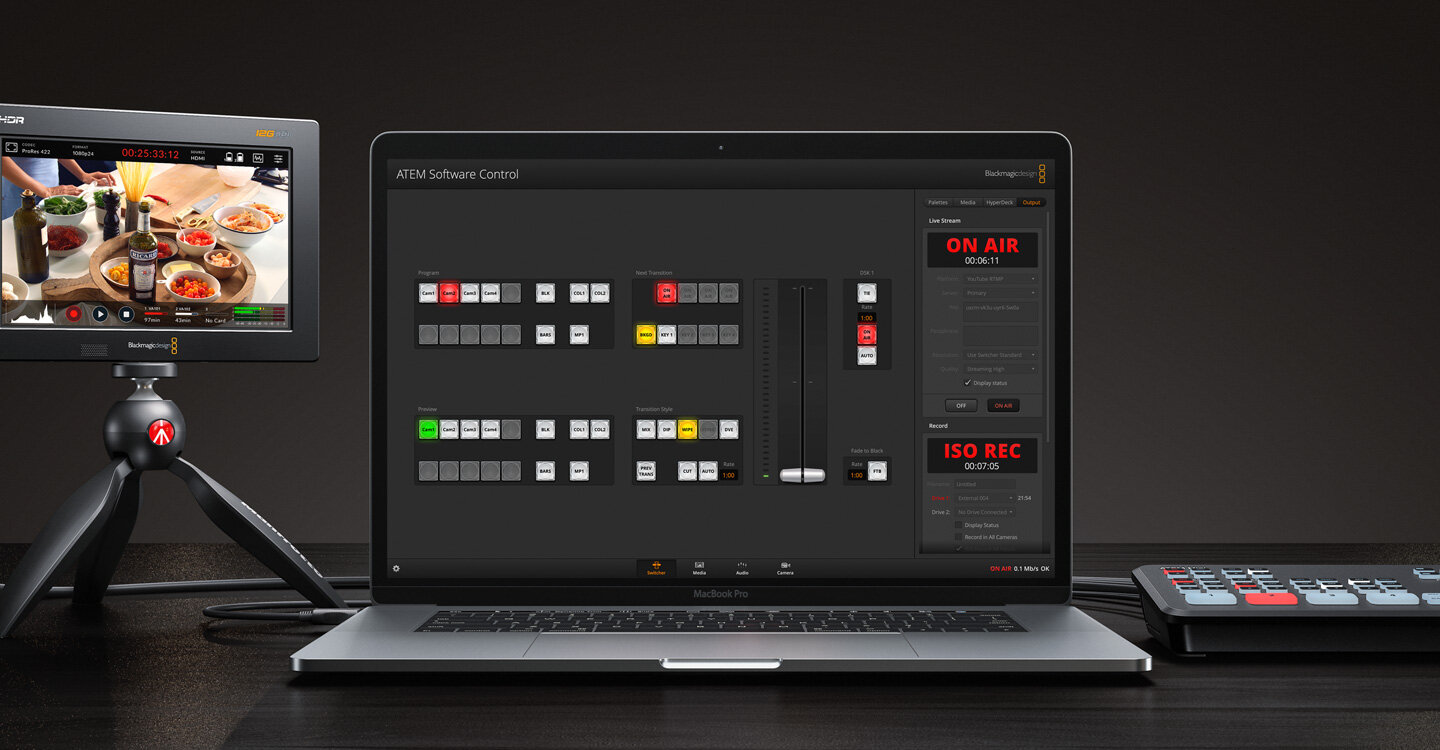
Key features include:
- Real-time processing: all operations (switching, transitions, keying, picture-in-picture, scaling) are processed instantly by the internal hardware. This ensures extremely low latency and stable performance even when multiple sources are active and complex layouts are used.
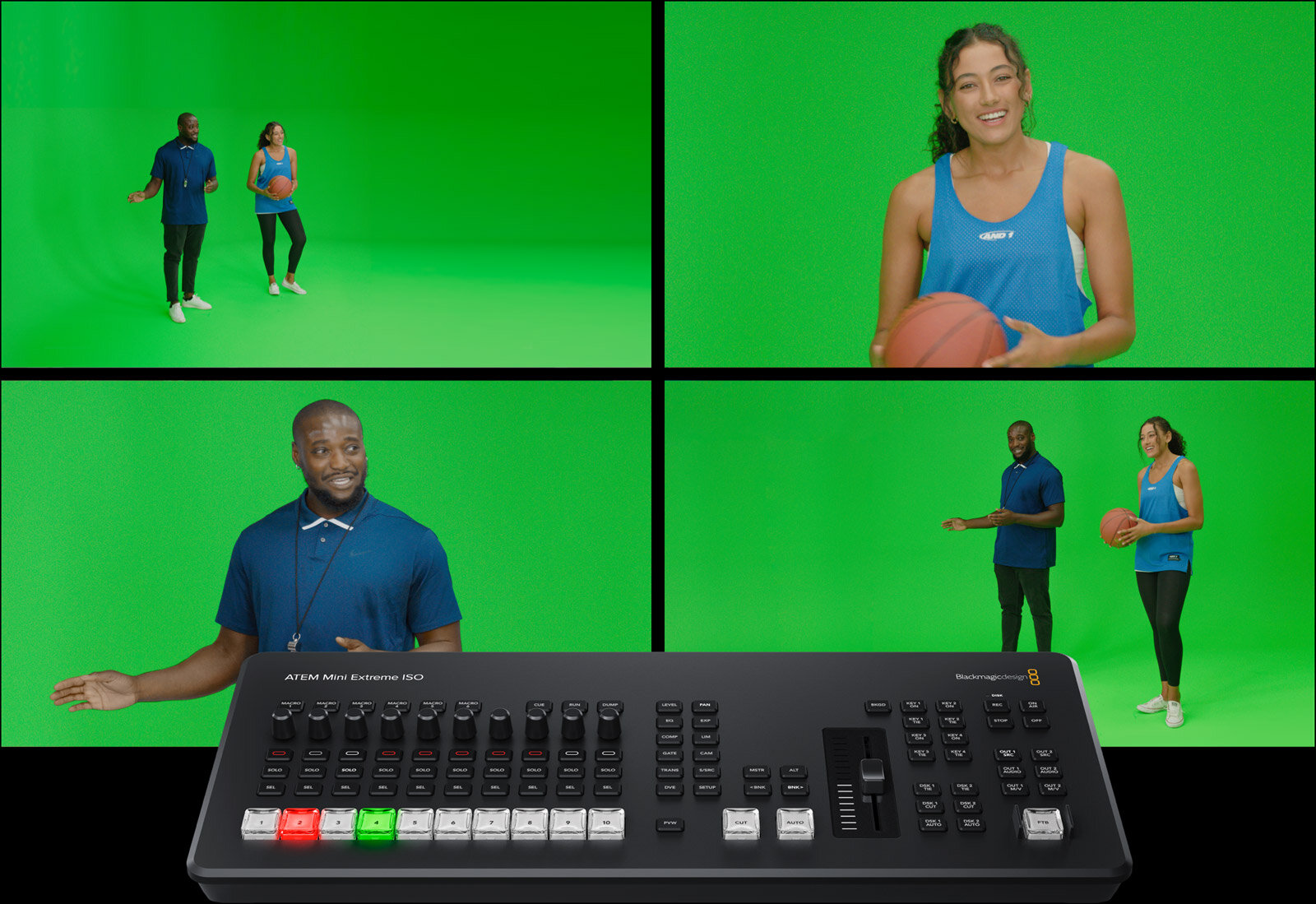
- Hardware keyers (Chroma / Luma Key): these allow graphics, titles or virtual backgrounds to be overlaid by removing a specific color (green screen) or by working on luminance values. This feature is essential for presentations with a speaker on a virtual background, talk shows, gaming streams and training content with integrated graphics on Blackmagic Design ATEM Mini systems.
- Multiview: a single screen displaying all sources simultaneously, along with Program and Preview outputs, audio status and system information. This allows the entire production workflow to be monitored from a single display, reducing errors and improving reaction times during live operation on Blackmagic Design ATEM Mini systems.
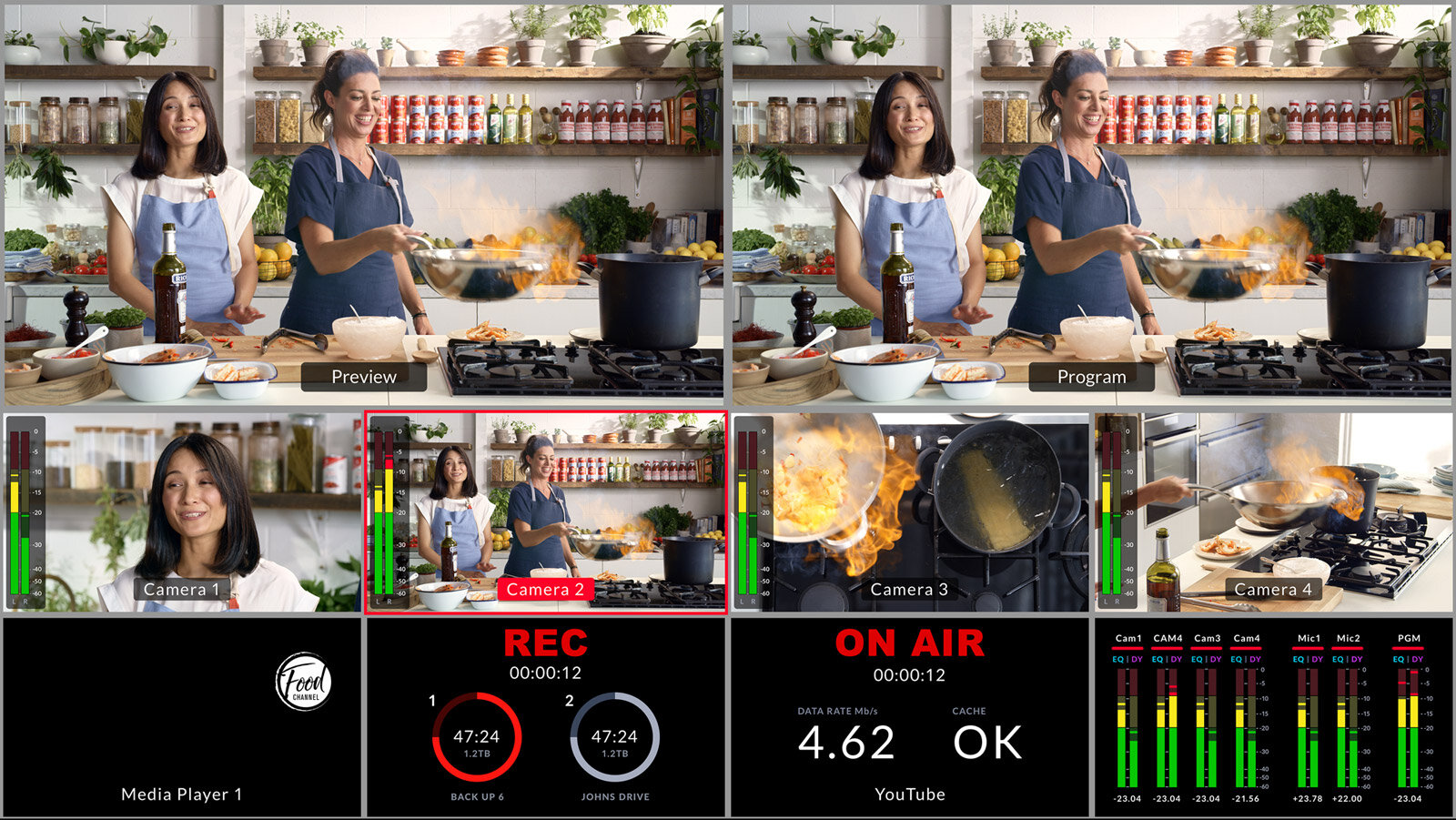
- PiP (Picture in Picture): while Multiview is only a monitoring mode—allowing the operator or director to view multiple video sources simultaneously on a single screen—PiP (Picture in Picture) is an actual video effect. The PiP window inside the main image can be adjusted in terms of position, size, border and other parameters.
- Program / Preview outputs: the Program signal is what goes on air or is recorded/streamed, while the Preview output allows the operator to check the next source before taking it live. This workflow, typical of broadcast control rooms, provides greater control over the final result when working with Blackmagic Design ATEM Mini systems.
- Macros: recordable command sequences that automate repetitive or complex operations such as switching sources, activating graphics, applying transitions, enabling keyers or configuring PiP layouts. They are particularly useful in recurring events or structured formats where the production workflow needs to remain consistent and fast.
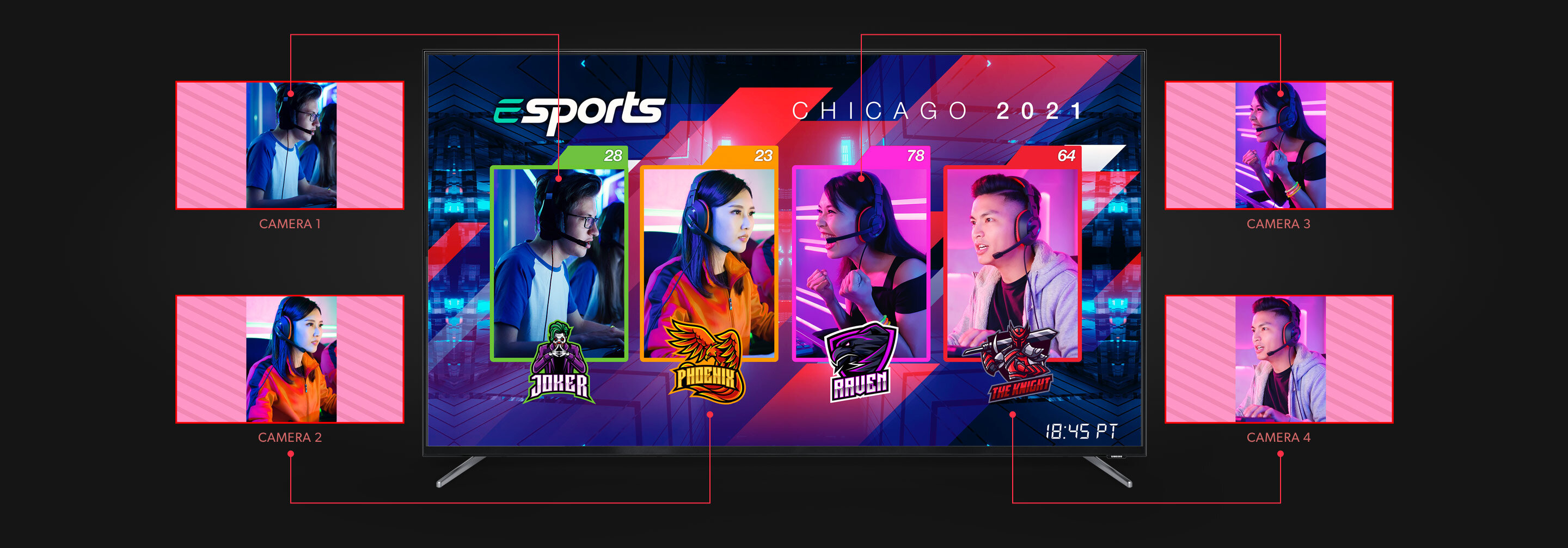
- Hardware recording: recording can be performed directly to an SSD (which must of course be sufficiently fast, especially for the ISO versions) via USB. In the ISO models, each source is recorded separately together with the Program output, allowing detailed post-production and the possibility to correct mistakes made during the live production on Blackmagic Design ATEM Mini systems.
- Integrated hardware streaming: a dedicated encoder allows the Program signal to be sent directly to platforms such as YouTube, Facebook, Twitch, or to RTMP servers, without the need for encoding software on a computer. This reduces the workload on the machine and increases overall system reliability.
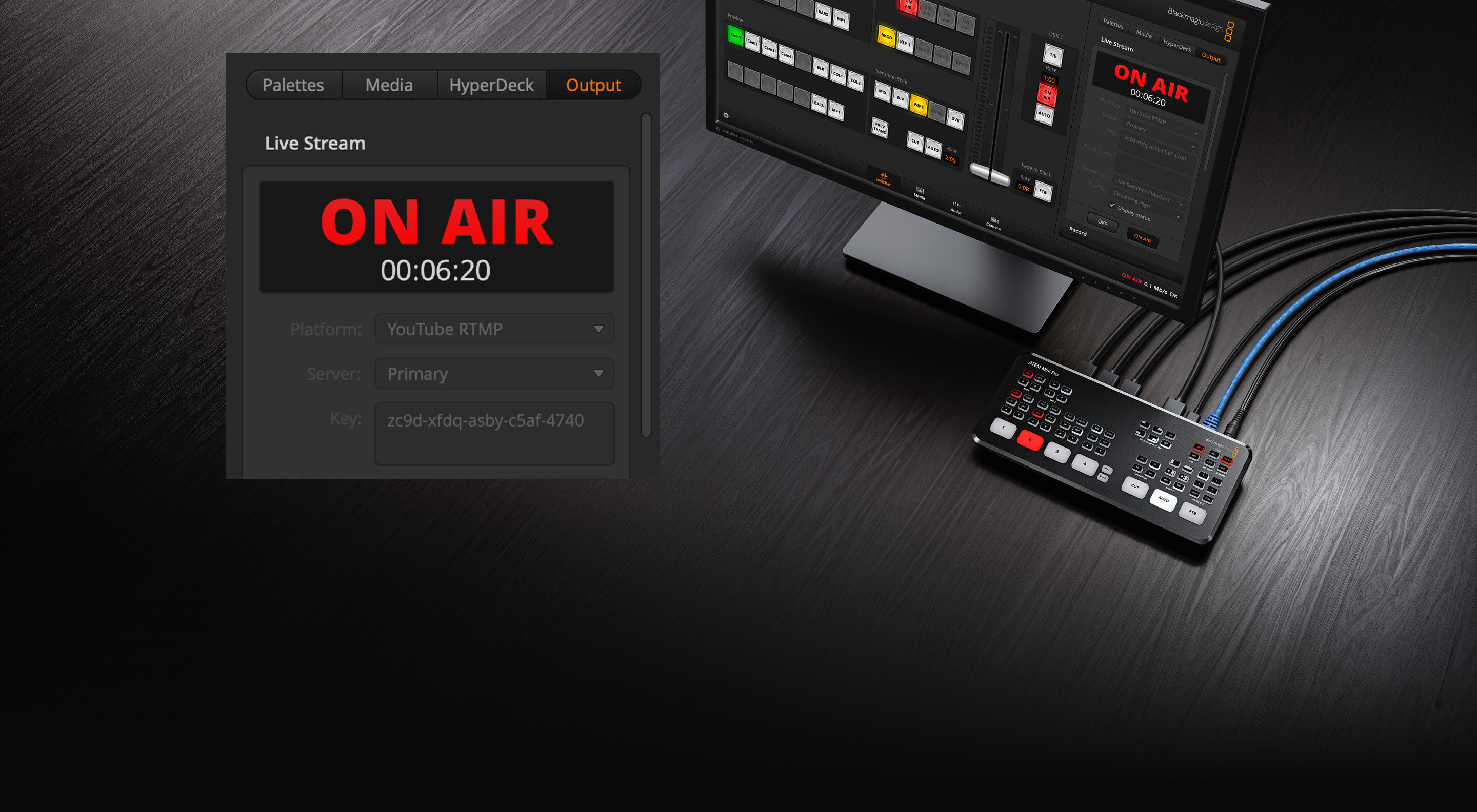
- DVE (Digital Video Effects): manages image positioning and scaling, enabling picture-in-picture, split-screen and dynamic layouts. It forms the foundation for modern formats in which the presenter, slides and video contributions coexist within the same frame when working with Blackmagic Design ATEM Mini systems.
- Internal Media Player: a dedicated memory for logos, lower thirds and static graphics that can be recalled in real time during production. This makes it possible to maintain consistent visual branding without relying on an external computer for each graphic element. For example, it can be used to display a special promotional offer during a live stream or to bring up a full-screen graphic when needed. A computer plug-in is also available that allows graphics to be edited in Adobe Photoshop and uploaded directly to the switcher.
Practical applications of ATEM Mini
Switchers such as the Blackmagic Design ATEM Mini are well suited both for live streaming and for recording studio-based video productions. In particular, these are the primary areas of use:
Corporate streaming: webinars, product presentations, town hall meetings and internal communications. A typical setup may include one or two cameras, a laptop for slides, integrated corporate graphics and direct streaming to the selected platform.
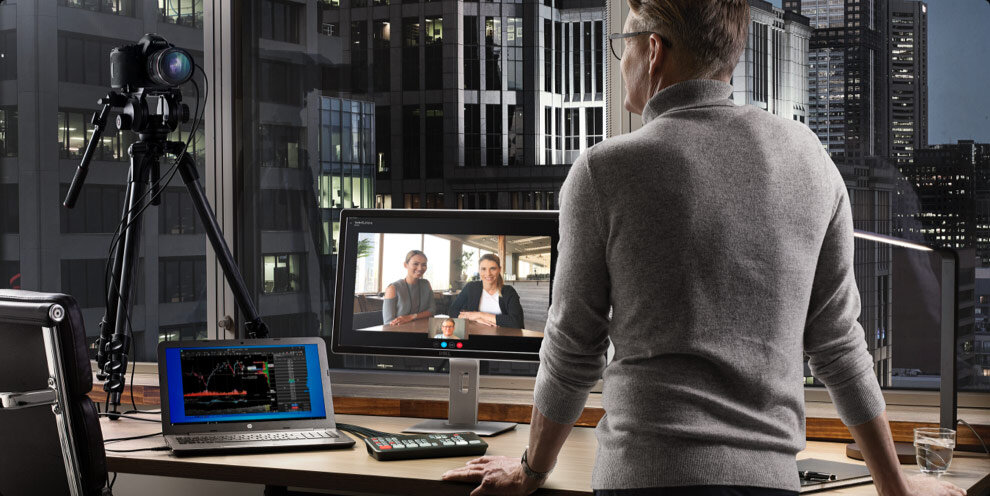
- Live events and conferences: talk shows, panels and conferences with an in-room audience and simultaneous streaming. Multiple cameras on stage, one camera on the audience, video contributions from a laptop and dedicated graphics can all be managed within a single production workflow using the Blackmagic Design ATEM Mini.
- Productions for creators and content specialists: video podcasts, live streams on YouTube or Twitch, reviews and unboxing content. A typical setup may include a main camera, a second camera for close-ups, a computer for media inputs and a PiP layout to keep the creator’s face visible at all times.
- Education and training: hybrid lessons, online courses and practical demonstrations. One camera on the instructor, another on the desk or whiteboard, and a computer for slides—the switcher manages everything as a single, integrated production environment.
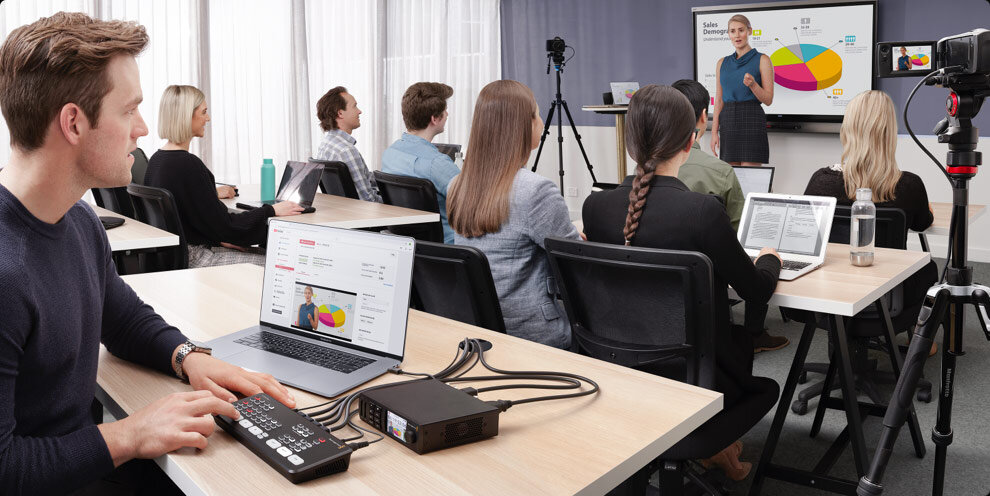
A typical setup might include:
- 2 HDMI cameras for the presenter and a wide shot (or overhead view)
- 1 laptop for slides or video playback
- USB-C output to a computer for streaming, recognized as a webcam
- PiP layout with the presenter and slides displayed simultaneously
With a Blackmagic Design ATEM Mini switcher, this configuration can quickly become a complete mini control room within minutes.
In the following overview of Blackmagic Design models, we will deliberately not cover the first unit in the series, the ATEM Mini, as its video output carries only the Program signal, which can be limiting in several applications.
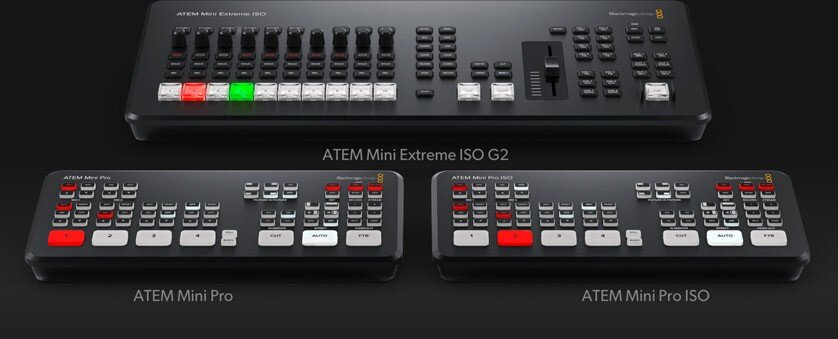
Blackmagic Design ATEM Mini Pro
The ATEM Mini Pro was released just one year after the first ATEM Mini and quickly became a reference solution for users seeking a compact yet professional production switcher. Developed by Blackmagic Design, it retains the small footprint of the original model while introducing features designed for more structured live production and streaming workflows.
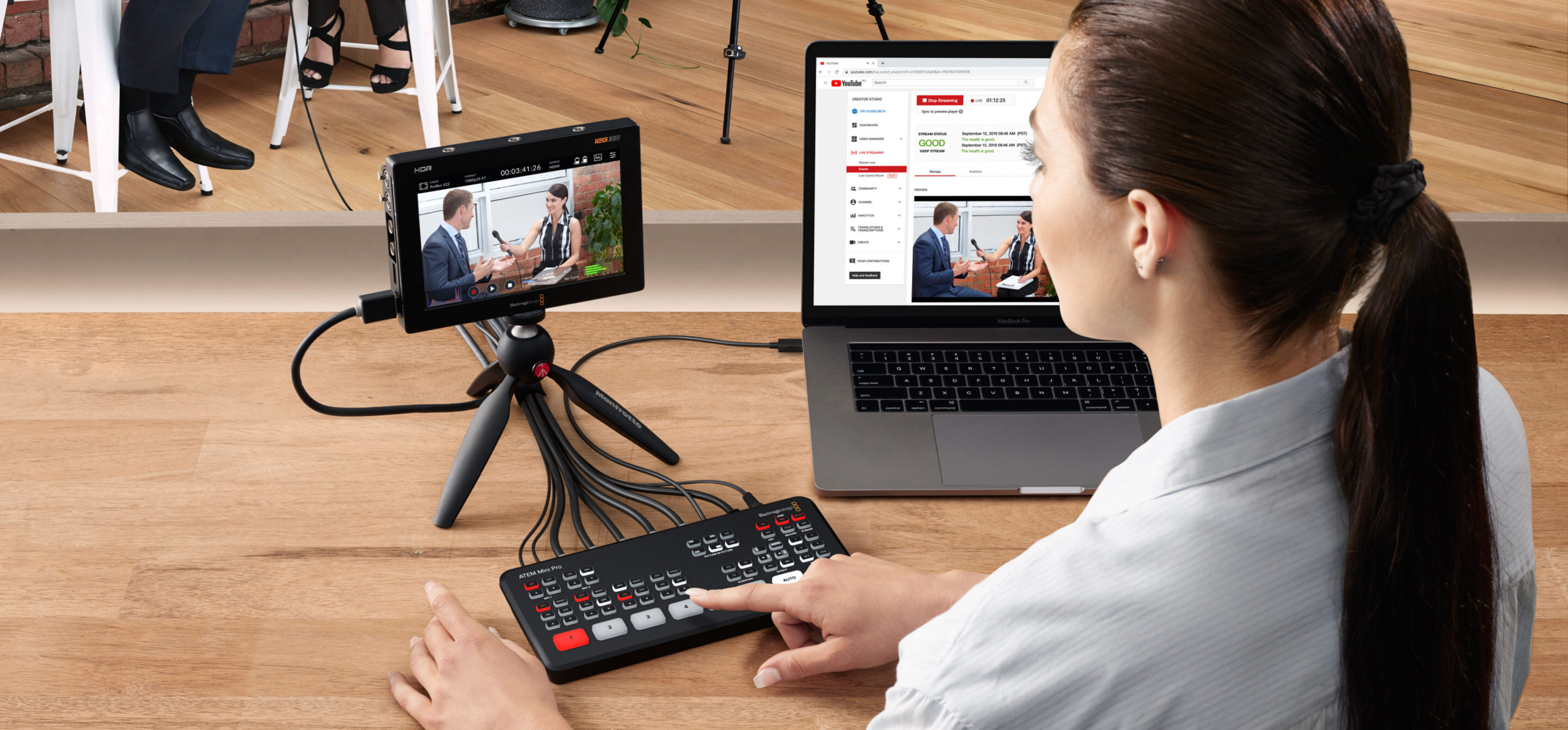
Key features
- 4 HDMI inputs with automatic format conversion
- 1 HDMI video output, typically connected to a monitor to display Preview, Program, recording and streaming status simultaneously
- 2 mini-jack audio inputs
- USB-C output, recognized by the connected computer as a webcam, allowing compatibility with virtually any streaming or video conferencing software, from Skype to Zoom and other conferencing platforms
- Integrated hardware encoder for direct streaming to online platforms
- Direct recording to an external SSD via USB
- Full Multiview with preview of all sources and system status
- Keyer for chroma key, plus DVE and picture-in-picture
- Control via ATEM Software Control on a computer
Why is it the ideal “entry” model?
The Blackmagic Design ATEM Mini Pro provides everything needed for a modern live mini-production environment: switching, streaming, recording and multiview in a single compact device.
It represents the natural entry point for companies, schools, institutions and creators who want to move from an improvised setup to a more structured production workflow. In other words, it is the right product to start with for users who do not need a large-scale setup but rather a simple console that allows them to connect a camera, the video output of a computer or any other AV source and begin working immediately with speed and ease
Blackmagic Design ATEM Mini Pro ISO 4 The ATEM Mini Pro ISO was designed for users who, in addition
The ATEM Mini Pro ISO was designed for users who, in addition to live production, place strong emphasis on post-production workflows. Developed by Blackmagic Design, it builds on the capabilities of the Mini Pro while adding powerful recording and editing integration features.
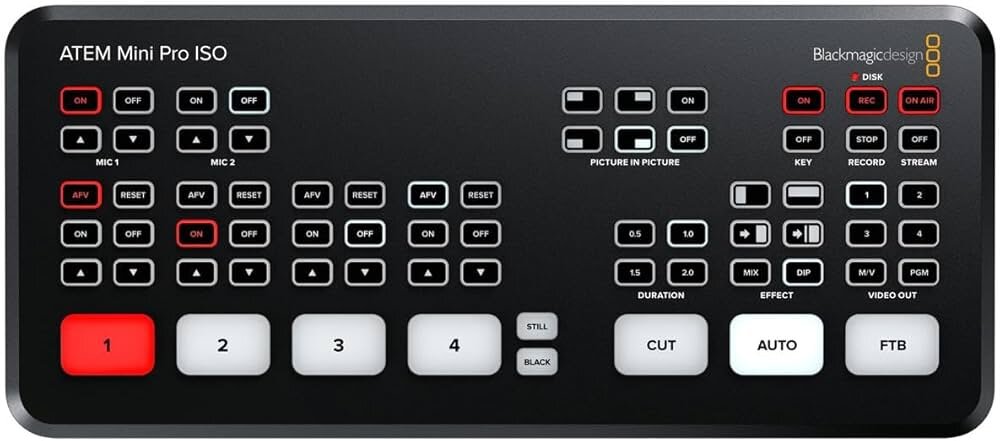
Key differences compared to the Mini Pro
- ISO recording of all sources in separate files, meaning that the SSD records not only the Program output but also each of the four individual inputs
- Automatic generation of a DaVinci Resolve project, with a ready-to-use timeline, aligned clips and the live cuts already replicated
Who is it recommended for?
The ATEM Mini Pro ISO is ideal for users who want to correct mistakes, refine the edit or create alternative versions (short clips, highlights, multilingual versions) after the live production while maintaining a highly efficient workflow.
It is particularly useful for fixing any issues that may occur during live switching, allowing greater flexibility during post-production in DaVinci Resolve.
Blackmagic Design ATEM Mini Extreme
The ATEM Mini Extreme represents the expanded version of the previous models, designed for more complex setups and more articulated production workflows. Developed by Blackmagic Design, it significantly increases the number of inputs and the flexibility of the production environment.
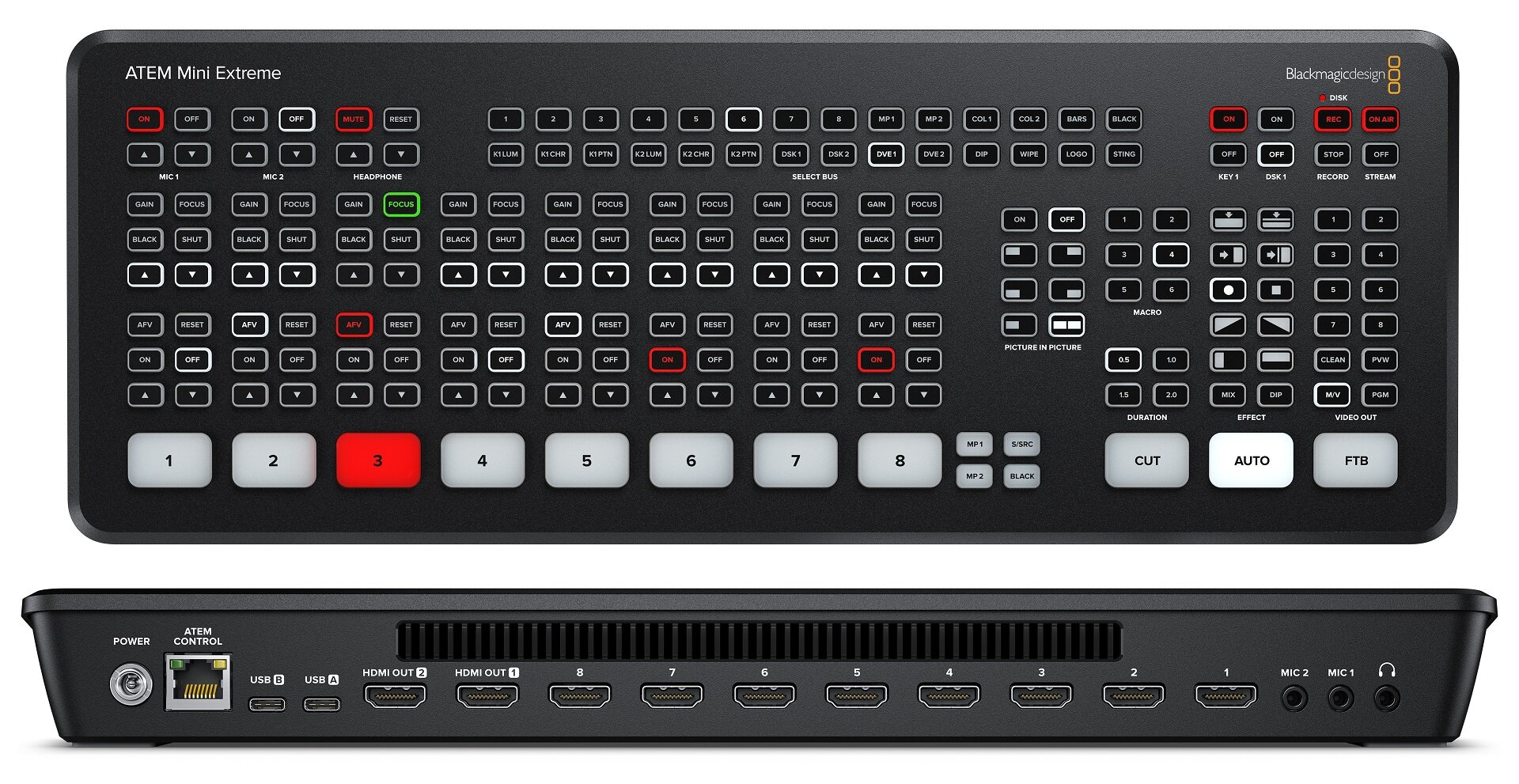
What does it add compared to the Pro?
- 8 HDMI inputs for additional cameras and graphic sources
- 2 independent HDMI outputs (for example Program + Multiview, or two different feeds)
- 4 ATEM Advanced Chroma keyers for virtual sets and complex layering
- 2 DVE processors for multiple layouts and picture-in-picture combinations
- Two media players (which cannot play video files) and a richer, more configurable Multiview. To broadcast a video clip, an external source must still be used, such as a computer connected via HDMI or a hardware media player like Blackmagic Design HyperDeck Studio.
When is it needed?
When the production setup grows: more cameras, more media sources, more graphics and greater flexibility.
The ATEM Mini Extreme is well suited for events, small to medium studios, structured formats and productions that require more advanced layouts and switching possibilities.
Blackmagic Design ATEM Mini Extreme ISO G2
The ATEM Mini Extreme ISO G2 represents the top of the ATEM Mini range. Developed by Blackmagic Design, it brings together the advanced switching capabilities of the Extreme series with the full ISO recording workflow, offering the most comprehensive solution within this compact family of live production switchers.
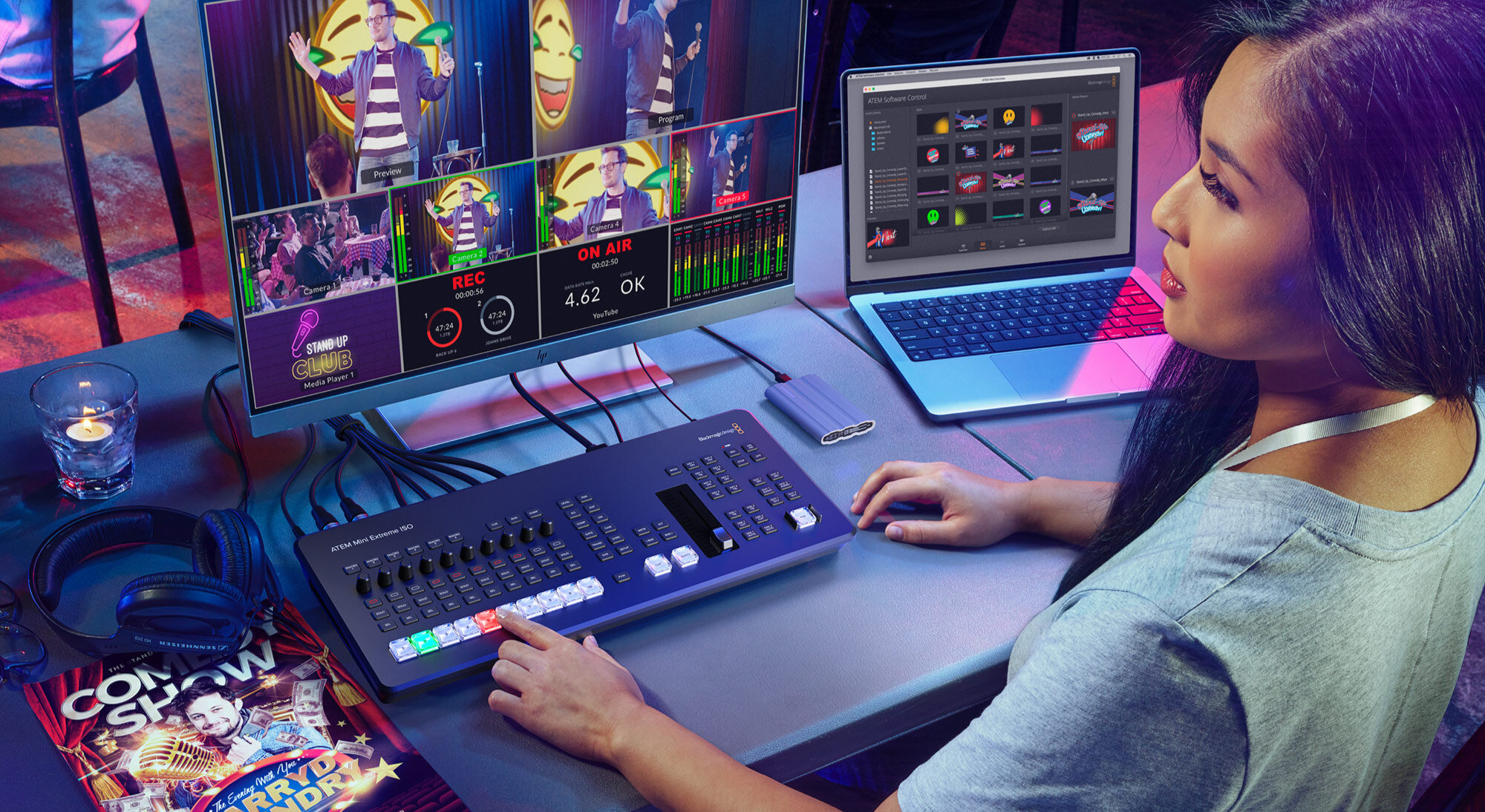
What are the differences compared to the Extreme?
- ISO recording of all sources, in addition to the Program output
- Thunderbolt 3 port: high-speed bidirectional video connection. The ATEM can be recognized as a video capture device by software such as DaVinci Resolve, vMix, or OBS Studio
- Automatic generation of a DaVinci Resolve project, as in the Pro ISO models
- Next-generation encoder (G2) with improved streaming and codec management
- Recording to CFexpress cards
- Audio upgrade (XLR & MADI): two XLR combo inputs with phantom power and one MADI input supporting up to 32 channels
- 10G Ethernet port: enables high-speed writing to shared storage such as NAS systems or Blackmagic Cloud Store
- Greater flexibility for archiving and post-production workflows
Who is it designed for?
The Blackmagic Design ATEM Mini Extreme ISO G2 is intended for users who want a compact mini control room with a light broadcast-style workflow: structured live productions, recurring events and complex corporate productions, with the possibility of carrying out detailed post-production work after the live stream.
Conclusions
A video switcher in this category—and in particular one of the Blackmagic Design ATEM Mini models from Blackmagic Design—represents a valuable ally for anyone looking to significantly simplify their video productions.
Compared with a traditional workflow, which typically involves recording with a video camera or mirrorless camera, importing clips, capturing the computer screen, synchronizing multiple sources and assembling everything in post-production, an ATEM system makes it possible to achieve an immediate result, drastically reducing both time and complexity. The control software is comprehensive, intuitive and free, and also enables collaboration between multiple users, making the entire ecosystem even more versatile.
Perhaps the most remarkable aspect, however, is the ability to manage the entire production independently, simply by using the device keyboard or the hardware controls on the switcher. This makes ATEM units ideal for a wide range of applications: video conferencing, corporate presentations, webinars, hybrid events with both in-room audiences and live streaming, live productions for associations, schools, public institutions, churches and places of worship, tutorials and educational content, social media and YouTube productions, product reviews, university lectures, online courses and masterclasses, technical demonstrations and corporate training sessions, cultural events, multicamera productions for the gaming world, compact control rooms for trade shows and much more.
In short, ATEM Mini switchers help to democratize video production—if we may use the term—allowing anyone, from professional users to independent creators, to achieve high-quality results with a streamlined workflow that is immediate, efficient and surprisingly accessible even in terms of cost.
Want to learn more?
Email us at international@audioeffetti.com


