
 English
  French

PTZ cameras have long represented a versatile and powerful solution for anyone needing dynamic capture in specific environments. Thanks to remote control capabilities, motorized optics, compact design and continuously improving performance, these cameras are widely used for live events, conferences, theatre productions, online streaming and even broadcast studios. Choosing the right model, however, is not always straightforward: sensor type, zoom range, communication protocols, as well as compatibility with other devices or cameras are all critical factors. This guide examines their technical components, the benefits of adopting PTZ systems and the key criteria to consider when selecting a model among those offered by Audio Effetti.
A PTZ (Pan-Tilt-Zoom) camera allows horizontal movement (Pan), vertical movement (Tilt) and focal length adjustment via an optical zoom everything controlled remotely. These cameras are also referred to as conference cameras, robotic cameras or robo cams due to the servo-motor-driven optical group that can be precisely orientated.
Once installed and presets are configured, PTZ cameras can be operated by non-technical personnel and, when equipped with auto-tracking and auto-framing, can significantly reduce the need for a dedicated operator, even if they do not eliminate the role entirely.
Let’s take a closer look at how they are built:
Opto-electronic components
Lens
PTZ cameras use optical zoom lenses capable of covering focal lengths from wide angle to telephoto. The zoom factor refers to the ratio between the maximum and minimum focal lengths typically 12x, 20x or 30x. A higher magnification factor allows you to bring distant subjects closer, such as capturing a speaker’s face in a large lecture hall where the camera is mounted high and at the back of the room.
Optical zoom preserves image quality, unlike digital zoom which crops the image and reduces resolution as it magnifies the subject. For example, using 2x digital zoom on a 1920 × 1080 HD camera produces an image of only 960 × 540 pixels.
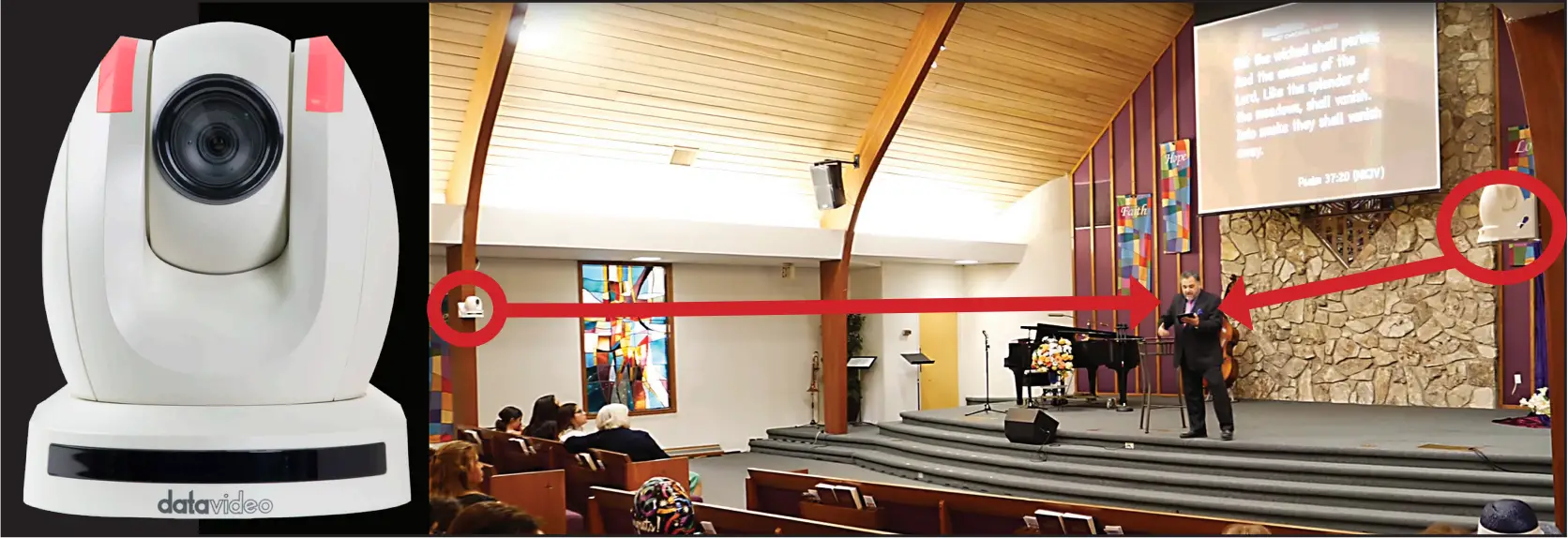
Optical zoom has the advantage of preserving image quality, unlike digital zoom, which works by cropping the image and therefore reducing its resolution in order to enlarge the subject. For example, if you have an HD camera with a 1920 × 1080 sensor and use 2x digital zoom, the resulting image will be only 960 × 540 pixels.
To ensure that the zoom range suits the shooting location, you need a clear idea of the framing you want to achieve. Ideally, you should stand where the PTZ will be installed and, using a second camera, capture the widest and tightest shots you expect to need. Note the focal lengths used for each shot, then select a PTZ model with a zoom that can cover (approximately) those values.
Because focal lengths depend on sensor size and PTZ cameras from different manufacturers use different sensor formats remember to always convert your calculations to the 35 mm full-frame equivalent, or alternatively base them on the field-of-view angle.
Some PTZ models also allow you to adjust zoom speed, a helpful feature when rapid reframing is required.
In addition to the zoom factor, the maximum aperture of the lens which changes with focal length is equally important, as it determines the camera’s brightness.
Sensor and resolution
The image sensor is crucial because, together with the lens, it determines overall image quality. For the same megapixel count, a larger sensor will produce less noise (thanks to larger photosites) and improved colour performance.
Common PTZ sensor formats (from smallest to largest) include 1/2.8", 1/2.5", 1/1.8", 1/1.7", 1/1.5" and 1".
How many megapixels should a PTZ have? First, it is important to clarify that the total megapixel count obtained by multiplying horizontal (H) and vertical (V) pixels is not the resolution, even though this term is often used in technical specifications. Resolution is a relative value: the ratio between the number of pixels and a physical length, therefore dependent on sensor size.
Common pixel counts range from 2 to 8 megapixels (Full HD to 4K). Higher-end models may use 12-megapixel sensors or more for 8K capture, while entry-level PTZ cameras often employ only 2-megapixel sensors.
Auto Tracking and auto framing
PTZ cameras equipped with auto-tracking and auto-framing such as PTZOptics Move 4K or Datavideo PTC-285 use detection algorithms and AI to identify faces or other targets and keep them in focus or centred in the frame. The camera can pan, tilt and zoom autonomously, following the subject without manual intervention. This is especially useful in perimeter surveillance, event monitoring or live production, where continuous manual adjustments would otherwise be required.
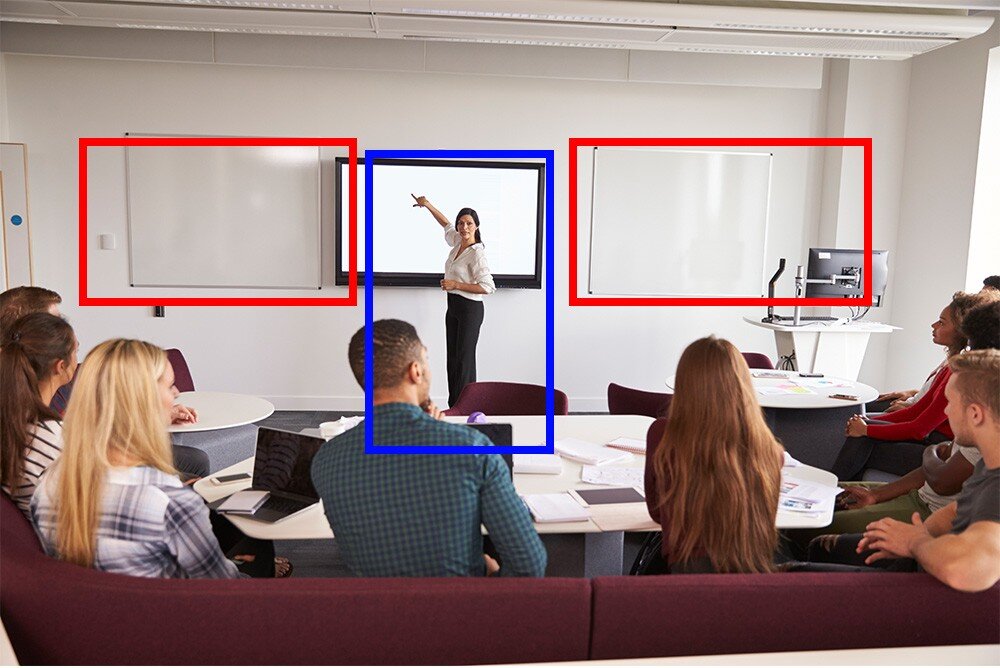
However, auto-tracking does not fully replace an operator. Algorithms may struggle with multiple subjects (unless using technologies like PTZOptics Presenter Lock, which locks onto a selected person from up to 90 m away even when others enter the frame) or sudden lighting changes.
Additionally, a PTZ cannot interpret context: it can follow a subject but cannot decide whether that shot is the most appropriate for production or security.
In complex environments (audiences, multi-camera broadcasts, etc.), an operator is still required to coordinate, validate and intervene when automation fails.
Ports and connectivity
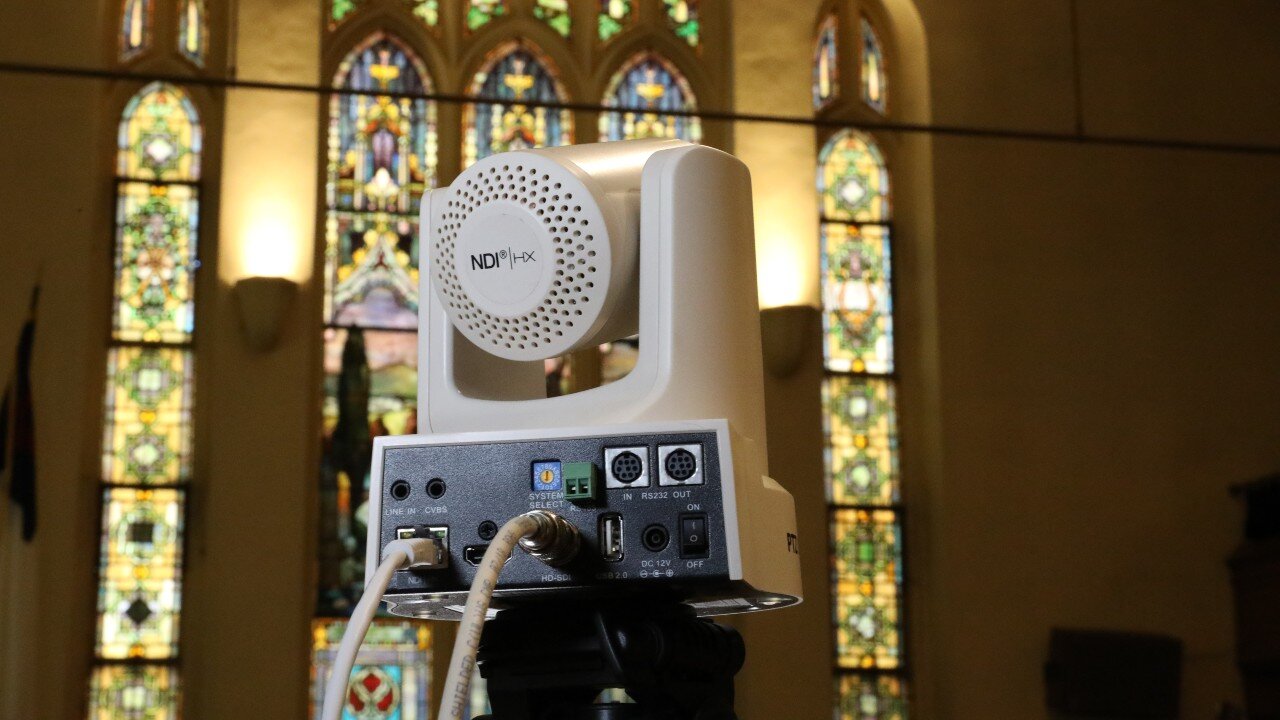
PTZ cameras typically offer HDMI, SDI, USB or IP streaming outputs, each with its own advantages:

- The HDMI interface typically supports resolutions up to 4K (3840 × 2160), with frame rates reaching 50/60p on more advanced models. Mid-range and entry-level models, however, generally limit the HDMI output to Full HD (1920 × 1080).
This interface is one of the most widely used and delivers high-quality images, but it is restricted by cable length and does not carry power or control signals. - SDI provides a video signal with minimal colour information loss and no image compression, preserving the original image quality. An SDI cable can transmit a signal up to 90–100 m, whereas HDMI is reliable only up to about 15 m (without repeaters or signal amplifiers). SDI cables are easy to install, but they do not carry power or control.
- USB is useful for videoconferencing and streaming, allowing the camera to be recognized as a webcam by a computer. In some cases, it may require proprietary software and is limited in cable length, but it can carry power, video and control.
- A wired network connection using CAT 5 or CAT 6 enables IP streaming and, with PoE, can also supply power along with video and control signals through a single cable up to 90 metres long, significantly simplifying installation. Common streaming protocols include RTSP (Real Time Streaming Protocol), RTMP (Real Time Messaging Protocol), NDI (Network Device Interface), Dante AV, SRT (Secure Reliable Transport) and control protocols such as VISCA over IP.
Overall, for a fast and flexible setup, PTZ cameras with PoE and IP streaming offer the most efficient solution.
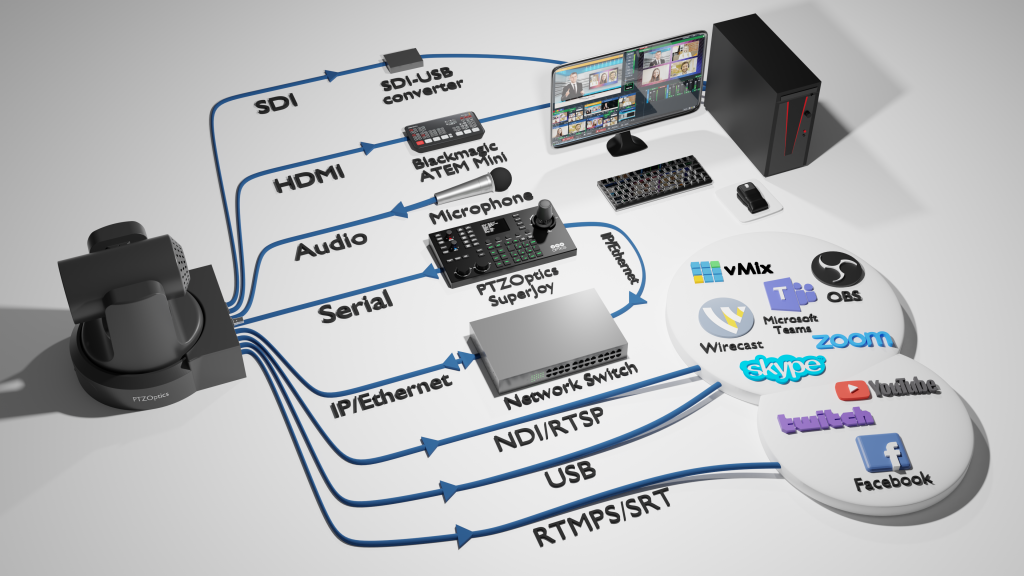
Finally, multi-pin ports such as RS-232, RS-485 and similar connections are used exclusively for control. The cables can be expensive and not particularly reliable, making a CAT 5 (or higher) network cable a better choice unless other control options are available.
Controllers and protocols
PTZ cameras can be operated using three types of controllers: dedicated hardware controllers, software-based control, and IR remotes. Each solution offers advantages and limitations that must be evaluated according to the operational context.
- Hardware controllers remain the most reliable option in live productions. They deliver maximum precision and responsiveness, especially when paired with dedicated monitors matching the camera’s resolution. This setup allows operators to maintain manual focus and monitor in real time what is being sent to the program or the live stream. More advanced models, such as the PTZOptics SuperJoy, support multi-camera control and preset management, but they can be less immediate than a controller dedicated to a single unit.
- Software control offers great flexibility but is not recommended for smooth pan, tilt and zoom movements during live broadcasts. Additionally, if operating over Wi-Fi, it may suffer from interference like any other wireless device. Nonetheless, it remains a cost-free option.
- IR remotes are a simple solution suitable for small environments and useful for recalling presets or testing movements before installing control cabling. However, they are not a viable option for complex manual movements or large-scale productions.
From a protocol standpoint, modern PTZ cameras support standards such as VISCA, VISCA over IP and Pelco-D/P, as well as more advanced formats like NDI and Dante AV. The chosen protocol directly affects compatibility with controllers, switchers and existing infrastructures, making it a crucial factor during system design.
Use cases and benefits
PTZ cameras offer several advantages:
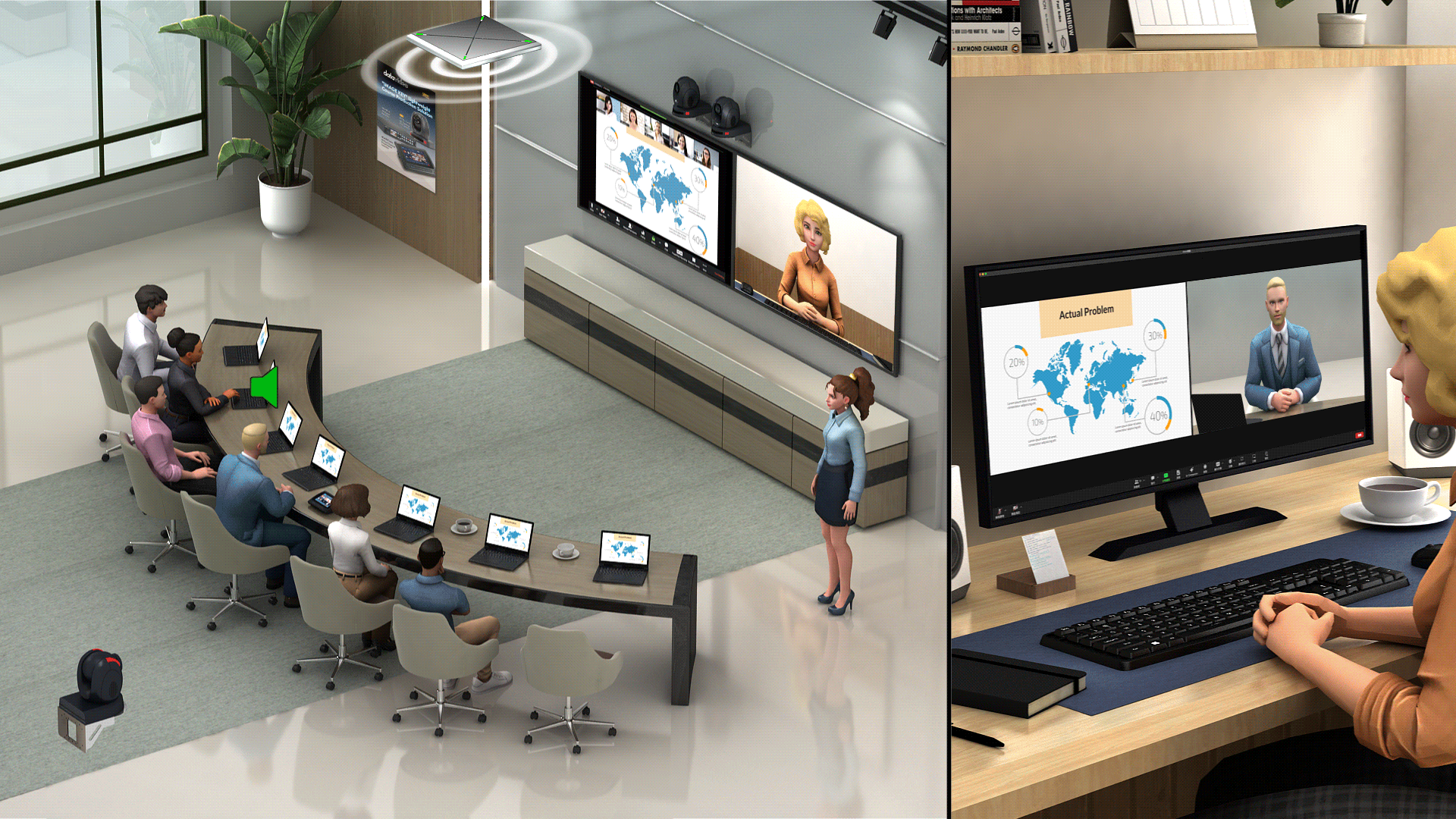
- Multi-camera control: a single operator can manage multiple units
- Remote operation
- Smooth motion: precise motors ensure fluid transitions
- Creative angles: compact size and remote capability allow unique perspectives, such as overhead shots
- Fast installation: a single cable can carry power, control and signal
- Minimal footprint: easy to place even in tight spaces
They are therefore ideal for theatre productions, corporate events, houses of worship, classrooms and even outdoor environments.
IR remotes also make them practical for tutorials, cooking shows or craft demonstrations.
Conclusion
PTZ cameras are essential tools for those seeking flexible installation, minimal footprint and remote control capabilities.
Selecting the right model means carefully evaluating sensor type, zoom requirements, communication protocols and connectivity. The choice is never about a single technical parameter but rather the balance of characteristics that shape real-world performance.
Some PTZ cameras, for example, include built-in streaming, while others require external solutions—an important distinction for fast-paced productions or live events. Zoom magnification becomes critical when covering long distances; image quality must align with existing cameras to maintain visual consistency.
Working with a mixed camera fleet requires careful matching of colour and brightness to avoid discrepancies that would compromise the final result.
Ultimately, choosing a PTZ means balancing functionality with the operational context, turning technology into a genuine asset for production workflows.
Wanto to learn more?
Email us at international@audioeffetti.it


