
 English
  French
In this new video, Michael Leonessa, Video Product Specialist at Audio Effetti, introduces a feature designed to make programming faster and more efficient: Layer Presets.
During a show, you may need to replicate the same settings across different layers or multiple screens. With the Layer Preset function, you can save masks, dimensions, and positioning from an already configured layer and reapply them with a simple drag and drop eliminating the need to manually repeat each step.
The video walks you through the process of creating, selecting, and applying a preset, while allowing you to customize which parameters to save. It’s a practical solution for those who value precision, speed, and consistency in their programming workflow.
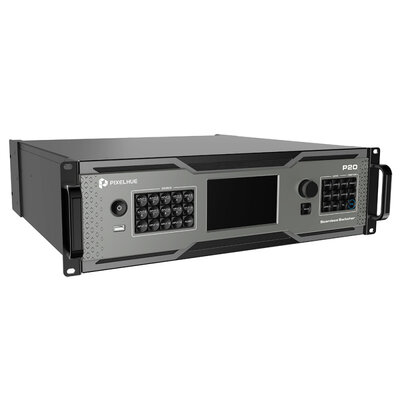
P20 (with Flight Case) - 8 x DP 1.2 / HDMI 2.0 + 4 x 12G-SDI inputs, 8 x HDMI 2.0 outputs presentation switcher with flight case
Watch the video or subscribe to our YouTube channel!
Want to learn more about Pixelhue products? Watch the video or visit our YouTube channel and subscribe today:
www.youtube.com/c/AudioEffettiStream


